
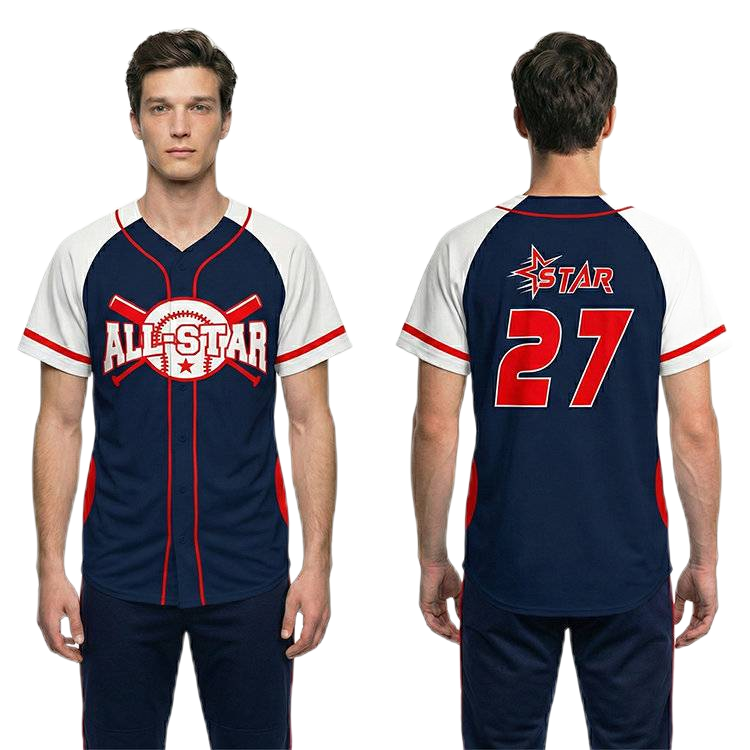
Quick answer: Use one controlled roster containing each player’s identifier, exact printed name, number, garment size and uniform version. Preserve leading zeros and review a final proof before production. Do not let separate messages become competing sources of personalized data.
Give every garment an unambiguous identity

Start with a player or line identifier that remains stable when a name or size changes. Then record the text exactly as it should be printed. The contact person’s name and the jersey name are not necessarily the same; some programs use surnames, nicknames or no names at all.
Ask the team to confirm its competition’s personalization requirements before approving the roster. The manufacturer should not decide which naming convention the league or club expects.
A practical roster structure

| Line ID | Printed name | Number as text | Jersey size | Trouser size if ordered | Version | Status |
|---|---|---|---|---|---|---|
| P01 | EXAMPLE | 07 | Confirmed size | Confirmed size | Home | Approved |
| P02 | SAMPLE | 12 | Confirmed size | Not ordered | Away | Check spelling |
The entries above illustrate the structure, not recommended sizes. Format the number column as text when leading zeros matter. A spreadsheet that converts “07” to “7” can create an unintended production instruction.
Check the artwork consequences of the data
A longer name may need a different arrangement from a short one. Agree whether the supplier will keep letter height, total width or another feature consistent. Do not leave that choice to an automatic setting without reviewing an example.
Check one-digit and two-digit numbers, unusual characters and the longest team or player name. Review how the front number relates to the placket and team name. A back-view approval alone does not cover a personalized front layout.
Separate common design from individual information
Keep the shared artwork revision distinct from roster revision. A change to the sponsor logo may affect every jersey, while a correction to one surname affects a single line. Label both files so that the factory can tell which parts of the order have changed.
Ask the buyer responsible for the order to approve the consolidated record. Individual parents can confirm their own details, but one designated representative should release the final file to production.
Reconcile quantities before approval
Count the garments by size and by version, then compare those totals with the quotation. If every player receives two jerseys, confirm that the roster makes that explicit. A list of twenty players is not automatically an instruction to produce forty garments.
Flag duplicate numbers for the team to review; do not silently change one. A duplicate may be intentional across separate squads, or it may be an error. Include the squad or version column when the same number legitimately appears more than once.
Preserve the record for reorders
Keep the approved roster, artwork revision and size chart together. When adding a player later, create a new revision rather than editing the original record without a trace. Identify whether the new item should match the home, away or alternate design.
Should names be taken from a mockup image? Use the roster as the data source and the mockup as the visual approval.
What file can I upload? InkSportPro’s second attachment field accepts CSV and common Excel formats, alongside design-reference formats. Use the inquiry form and note which roster entries are final.
Explore InkSportPro baseball uniforms or send a project brief with artwork.